




Research used to feel like a maze of unreliable links and endless scrolling, especially when deadlines were tight. Learning how to use Google Scholar for research made everything faster, clearer, and far more credible. Instead of guessing which sources to trust, it became easy to find peer-reviewed studies, track ideas, and build strong arguments with confidence.
Google Scholar And Why It Matters?
Getting familiar with the tool helps you unlock its full potential.
What Makes Google Scholar Unique?
Google Scholar is designed specifically for academic content. It pulls from journals, theses, books, conference papers, and trusted institutions. Unlike regular search engines, it focuses on scholarly relevance rather than popularity.
This makes it ideal for students, researchers, and professionals who need credible information. Instead of sorting through blogs or forums, you get direct access to research-backed material that supports serious work.
Why It’s Essential For Research?
Using Google Scholar improves both speed and quality. You can quickly identify high-impact studies through citation counts and discover related work through built-in features.
It also helps build trust in your writing. When your sources come from reputable academic publications, your arguments carry more weight and authority.
How To Use Google Scholar For Research Step By Step
This section shows how to use google scholar for research in a practical, real-world way.
Step 1: Start With Smart Keywords
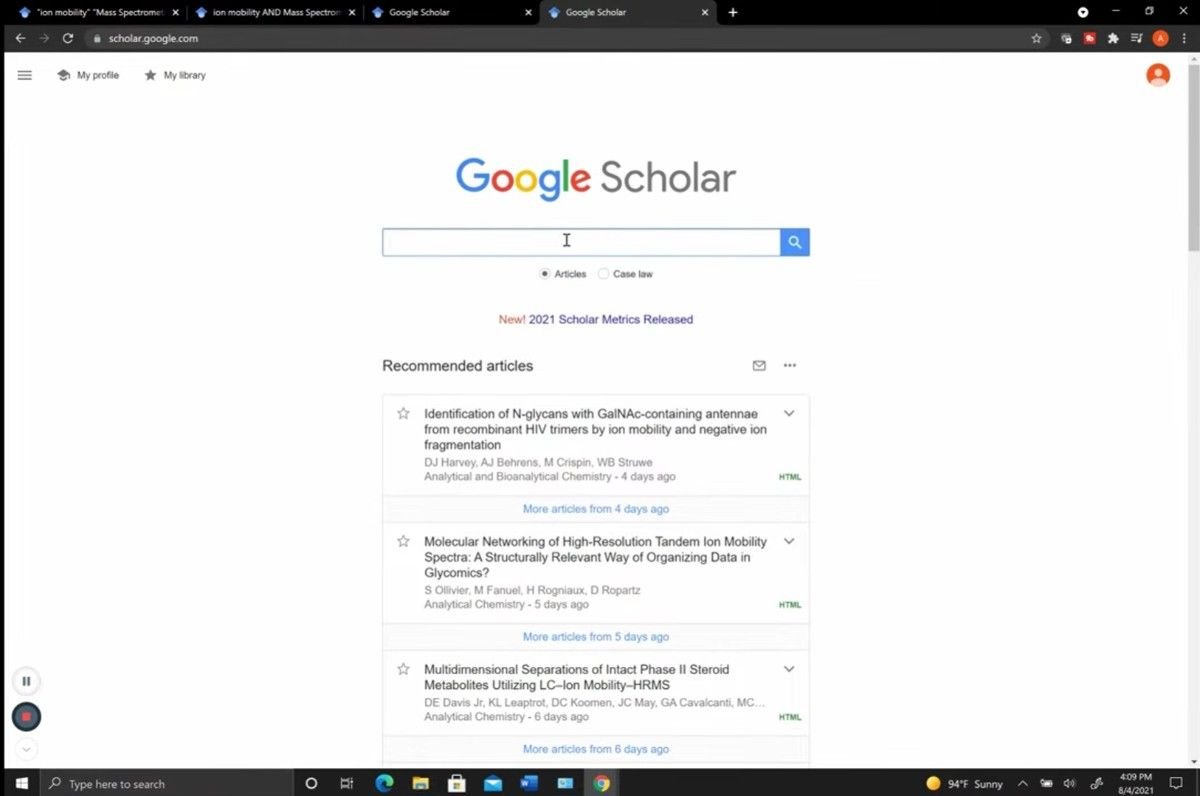
Begin with focused keywords instead of full questions. Searching “renewable energy policy impact” works better than typing a long sentence. Adding quotation marks like “climate change” helps find exact matches.
Using Boolean operators improves accuracy. For example, “cancer OR tumor” expands results, while “pollution -plastic” removes unwanted topics. This makes your search more precise and efficient.
Step 2: Refine And Filter Results
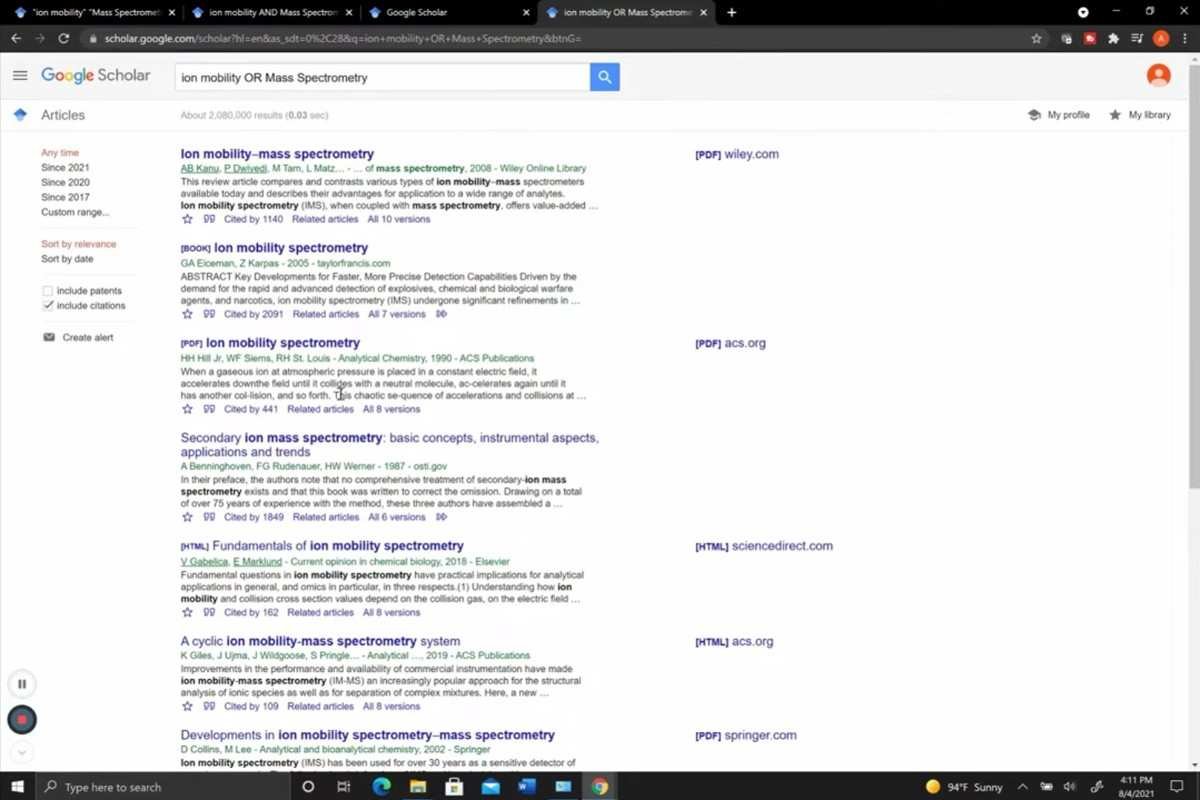
After your initial search, use filters on the left sidebar to narrow results by year or relevance. Sorting by date helps you find the latest research, which is especially useful for fast-changing topics.
Clicking “Advanced search” lets you filter by author, journal, or publication range. This is helpful when you already know key researchers or want highly specific results.
Step 3: Explore Features That Improve Research
The “Cited by” feature shows how many times a paper has been referenced, helping you identify influential studies. Clicking it reveals newer research that builds on the original work.
“Related articles” expands your search and uncovers similar studies. Look for [PDF] or [HTML] links on the right side to access full-text versions quickly.
Key Features And Techniques To Master
Understanding these tools will make your research process faster and more effective.
Advanced Search And Filters
The advanced search option allows you to narrow results by exact phrases, authors, and publication dates. This is especially useful for academic writing where precision matters. Filters also help remove patents or citations if they are not relevant. This keeps your results clean and focused.
Library Links And Full Access
Through settings, you can connect your university library to unlock subscription-based content. This feature is valuable for accessing full research papers without hitting paywalls. Many results also include direct PDF links, making it easy to read and download articles instantly.
Alerts And Updates
Setting up alerts ensures you never miss new research in your field. Google Scholar sends updates when new papers match your keywords. This is especially useful for long-term projects or ongoing research topics where staying updated is important.
Managing Research Like A Pro
Good organization turns scattered reading into a structured workflow.
Save And Organize With My Library
The “My Library” feature lets you save articles by clicking the star icon under each result. This creates a personal collection of sources you can revisit anytime. Organizing saved papers into labels helps keep your research structured and easy to navigate.
Export Citations Easily
Clicking the quotation icon under a result allows you to copy citations in formats like APA, MLA, Chicago, or Harvard. This saves time and ensures accuracy in your references. It also integrates smoothly with citation tools, making academic writing tone and style more efficient.
Build A Consistent Workflow
Start with broad searches, refine results, save key papers, and export citations as you go. This step-by-step approach keeps your research organized and stress-free.
Research Workflow Example From Start To Finish
Seeing a real example makes it easier to apply the process.

Step 1 Define The Topic
Choose a clear research question like “impact of AI in healthcare.” This helps guide your search and keeps your focus sharp. A well-defined topic reduces time spent filtering irrelevant results.
Step 2 Gather Core Sources
Search using targeted keywords and select a few highly cited papers. These often provide foundational insights into your topic. From there, explore references within those papers to expand your research.
Step 3 Expand And Organize
Use “Cited by” and “Related articles” to discover newer studies and different perspectives. Save useful papers and group them into themes. Export citations as you go to avoid last-minute formatting issues.
Scholar Vs PubMed Vs Scopus
Choosing the right tool depends on your research needs.
Google Scholar Vs PubMed
PubMed is highly specialized for medical and life sciences research. It offers curated and precise results. Google Scholar is broader and covers multiple disciplines.
For medical topics, PubMed is often more accurate. For general research, Google Scholar is more flexible.
Google Scholar Vs Scopus
Scopus provides advanced analytics and citation tracking tools. However, it usually requires paid access through institutions.
Google Scholar is free and easier to use, making it a great starting point for most users.
Which One Should You Choose
For most research tasks, Google Scholar works well on its own. Combining tools can improve depth, especially for specialized academic work.
Use Cases For Different Users
Different users benefit from different strategies when using Google Scholar.

Undergraduates
Focus on understanding basic concepts and finding credible sources. Use simple keywords and prioritize highly cited papers. Avoid overcomplicating searches and stick to clear, focused queries.
PhD Researchers
Use advanced filters, alerts, and citation tracking to explore niche topics. Staying updated with new research is critical at this level. Dig deeper into references and follow citation trails for comprehensive coverage.
Professionals
Use Google Scholar for quick insights and supporting data. It’s useful for reports, presentations, and staying informed about industry trends. Efficiency matters more than exhaustive research in most professional settings.
Mistakes To Avoid When Using Google Scholar
Avoiding these common errors can significantly improve your results.
Ignoring Filters And Tools
Skipping filters leads to overwhelming and less relevant results. Using them saves time and improves accuracy. Always refine your search instead of relying on the default results.
Trusting Every Source Blindly
Not all results are peer-reviewed. Always check the journal and author credibility before using a source. Quality matters more than quantity in research.
Overlooking Recent Research
Using outdated studies can weaken your work. Always check publication dates and include recent findings when possible.
Frequently Asked Questions
1. Can I access Google Scholar for free?
Yes, Google Scholar is free to use, though some full-text articles may require paid access through publishers or institutions.
2. Is Google Scholar a good source for research?
Yes, it provides access to credible academic sources, but always verify the quality of each paper before using it.
3. What is the difference between Google Scholar and regular Google search?
Google Scholar focuses on scholarly content, while regular Google includes all types of web pages and general information.
4. How do I use Google Scholar for research on my phone?
Open it in your browser, search with keywords, apply filters, and access PDFs just like on a desktop version.
Final Thoughts That Make Research Easier
Mastering how to use Google Scholar for research can completely transform the way you approach academic work. From finding credible sources to organizing your workflow and tracking new studies, it simplifies every step. With the right techniques and tools, research becomes less stressful and far more effective, helping you produce stronger and more reliable work every time.