



Strong writing is one of the most important skills for students, whether you’re working on essays, reports, or research papers. With the rise of AI-powered tools, platforms like Grammarly and Hemingway Editor have become essential for improving writing quality.
But which one is better for students? The answer depends on what you need—accuracy or clarity. In this guide, we’ll compare Grammarly vs Hemingway Editor for students, breaking down their features, strengths, and ideal use cases.
Understanding the Core Difference
Grammarly and Hemingway Editor serve different purposes in the writing process.
Grammarly is an all-in-one writing assistant. It focuses on grammar, spelling, tone, and plagiarism detection. It helps ensure your writing is correct and professional.
Hemingway Editor, on the other hand, is designed to improve readability. It highlights complex sentences, passive voice, and unnecessary words, helping you write more clearly and concisely.
Instead of replacing each other, these tools complement one another.
Grammarly: The All-in-One Writing Assistant
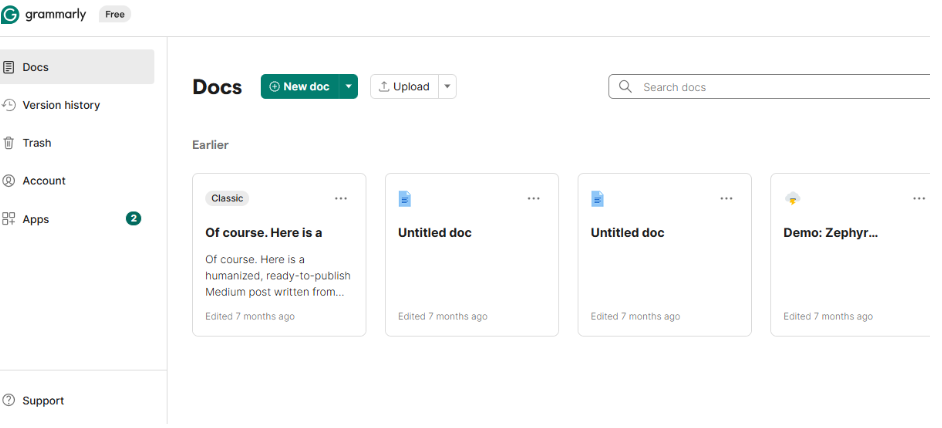
Grammarly is widely used by students because of its comprehensive editing capabilities. It works across multiple platforms, including browsers, Google Docs, and Microsoft Word.
Key Features of Grammarly
- Real-time grammar and spelling corrections
- Tone detection and clarity suggestions
- Plagiarism checking (premium feature)
- Integration with multiple apps and platforms
Grammarly doesn’t just fix errors—it explains them. This helps students learn from their mistakes and improve over time.
Another advantage is its ability to adapt to different writing styles. Whether you’re writing a formal essay or a casual assignment, Grammarly adjusts its suggestions accordingly.
Hemingway Editor: The Clarity and Readability Expert
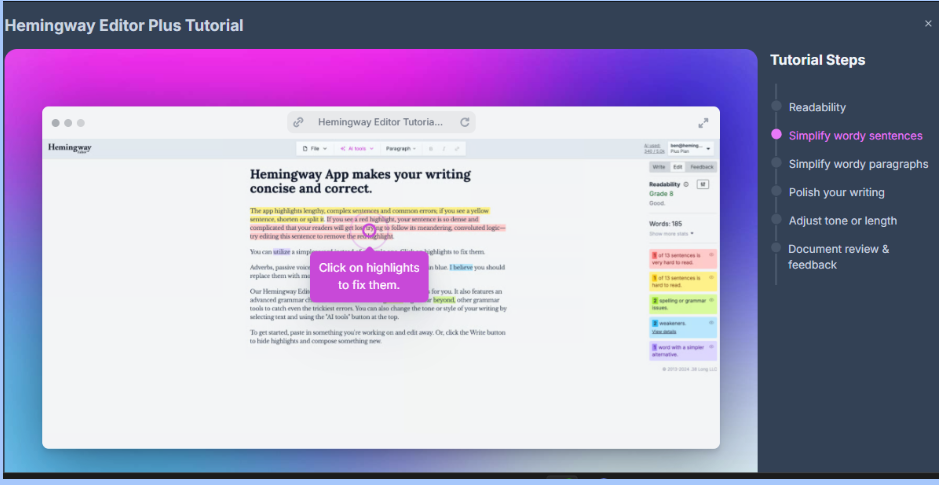
Hemingway Editor takes a different approach. Instead of focusing on grammar, it emphasizes simplicity and readability.
It uses color-coded highlights to identify issues such as long sentences, passive voice, and overuse of adverbs. This visual feedback makes it easy to spot and fix problems quickly.
Hemingway is especially useful for students who tend to write overly complex or wordy sentences. By simplifying your writing, it makes your ideas clearer and more impactful.
Another benefit is its simplicity. The web version is free and works offline-friendly, making it accessible without needing extensions or accounts.
Feature Comparison: Grammarly vs Hemingway Editor
- Primary Function
Grammarly: Grammar, tone, and plagiarism
Hemingway: Readability and sentence clarity - Best Use Case
Grammarly: Final editing and proofreading
Hemingway: Improving writing style and flow - Ease of Use
Grammarly: Requires installation or login
Hemingway: Simple, browser-based interface - Integration
Grammarly: Works across apps and platforms
Hemingway: Limited integration, standalone tool - Learning Value
Grammarly: Explains grammar rules
Hemingway: Encourages concise writing
This comparison shows that both tools excel in different areas.
When Should Students Use Grammarly?
Grammarly is best used during the final stages of writing. After completing your draft, it helps you refine your work and eliminate errors.
It’s particularly useful for:
- Academic essays and research papers
- Assignments requiring formal tone
- Checking for plagiarism and originality
Students who struggle with grammar or want polished submissions will benefit the most from Grammarly.
When Should Students Use Hemingway Editor?
Hemingway Editor is ideal during the revision phase. Once your content is written, it helps you improve clarity and readability.
It works well for:
- Simplifying complex sentences
- Reducing passive voice
- Making writing more direct and engaging
If your writing feels too dense or difficult to read, Hemingway can help make it more accessible.
Why Using Both Tools Is the Best Approach
Instead of choosing one tool over the other, many students use both together for the best results.
Start with Hemingway Editor to simplify and structure your writing. Once your content is clear and concise, run it through Grammarly to fix grammar, tone, and spelling errors.
This combination ensures your writing is both accurate and easy to read.
Students comparing multiple writing assistants may also explore Grammarly vs QuillBot for students to understand which tool better fits their academic workflow.
Common Mistakes Students Make
One common mistake is relying only on Grammarly. While it fixes errors, it doesn’t always improve readability or simplify complex sentences.
Another mistake is ignoring Hemingway’s suggestions. Some students resist simplifying their writing, but clarity is essential for effective communication.
It’s also important not to accept every suggestion blindly. Always review changes and ensure they align with your intended meaning.
Advantages and Limitations
Grammarly’s biggest strength is its comprehensive editing. However, it may not significantly improve writing style or readability.
Hemingway excels at clarity but lacks advanced grammar checking and plagiarism detection.
Understanding these limitations helps you use each tool more effectively.
Frequently Asked Questions
Is the Hemingway app better than Grammarly?
No, they serve different purposes. Hemingway is better for readability, while Grammarly is better for grammar and overall editing.
Why are people suing Grammarly?
There have been discussions and legal concerns related to data privacy and usage policies, but these are not common issues for everyday student use. Always review terms of service for any tool.
What is better than Grammarly for academic writing?
Tools like QuillBot or ProWritingAid can complement Grammarly, but Grammarly remains one of the most comprehensive editing tools available.
Will I get flagged for AI if I use Grammarly?
No, Grammarly is an editing tool, not a content generator. It helps improve writing but does not create original content, so it is generally safe to use.
Can I use Grammarly and Hemingway together?
Yes, using both tools is highly recommended. They complement each other and improve both accuracy and readability.
Which tool is free for students?
Hemingway’s web version is free, while Grammarly offers a free version with optional premium features.
Choosing the Right Writing Tools for Academic Success
Writing strong academic content requires both accuracy and clarity. Grammarly ensures your work is polished and error-free, while Hemingway Editor helps you communicate your ideas more effectively.
For the best results, students should use both tools together as part of their writing process. This approach improves both the technical quality and readability of your work.
Many students also use AI tools for research writing to improve drafting, organization, and academic productivity.
As you explore more digital tools, considering chatgpt alternatives for students can further enhance your writing, research, and learning experience. Combining multiple tools creates a powerful system that supports every stage of academic work.
With the right tools and strategies, you can write better, faster, and more confidently.