



Citation generators have become essential tools for students and researchers. They save time, reduce formatting stress, and help create properly structured references in styles like APA and MLA. However, many students make the mistake of treating these tools as final solutions rather than drafting aids.
Learning how to use citation generators correctly ensures your references are accurate, consistent, and academically acceptable. This guide will walk you through the right approach, common mistakes, and best practices to get the most out of these tools.
Why Citation Generators Are Helpful but Not Perfect
Citation generators simplify a complex process. Instead of manually formatting each source, you can input basic details and generate citations instantly. Tools like BibGuru, ZoteroBib, and Scribbr are widely used for this purpose.
However, these tools rely entirely on the information you provide. If the input is incomplete or incorrect, the output will also be flawed. They may also misinterpret certain details, such as author names or publication formats.
That’s why it’s important to view citation generators as assistants—not replacements for your understanding of citation rules.
Step-by-Step Guide to Using Citation Generators
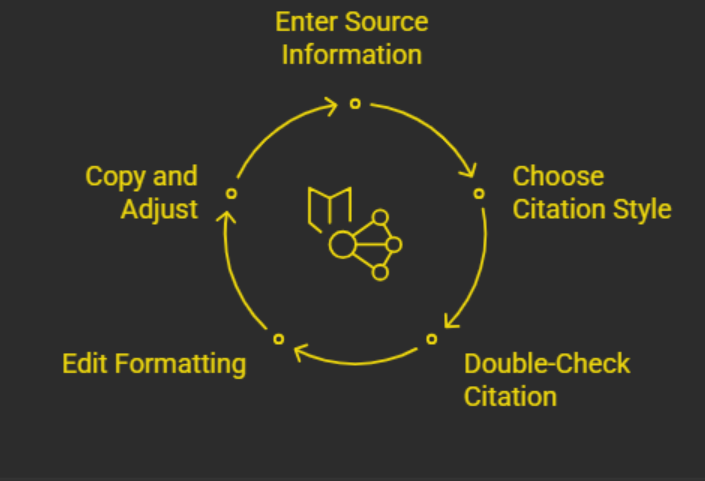
Using citation generators effectively requires a structured approach. Following the right steps ensures better accuracy and fewer corrections later.
- Enter complete and accurate source information, including author, title, publisher, and date
- Choose the correct citation style (APA or MLA) based on your assignment
- Double-check the generated citation for errors or missing details
- Edit formatting issues such as capitalization, punctuation, and italics
- Copy the citation into your document and adjust spacing or indentation
This process ensures that your citations meet academic standards.
Common Errors Citation Generators Make
Even the best tools can produce mistakes. Being aware of these errors helps you catch and fix them quickly.
One of the most frequent issues is incorrect capitalization. APA style uses sentence case for titles, while MLA uses title case. Citation generators often fail to apply these rules correctly.
Another common problem is missing information. Details like page numbers, publisher names, or edition numbers may be omitted if not provided.
Punctuation errors are also common. Misplaced commas, periods, or italics can affect the accuracy of your citation.
Finally, tools sometimes misidentify the type of source. For example, a newspaper article might be formatted as a general website, leading to incorrect citations.
Importance of Using Reliable Source Data
 The quality of your citation depends heavily on the source data you use. Instead of relying on basic URLs, it’s better to use more reliable identifiers.
DOIs (Digital Object Identifiers), ISBNs (for books), and official database links provide more accurate information. These identifiers help citation generators retrieve complete and correct details automatically.
Using library databases or academic platforms also improves accuracy, as they often include built-in citation tools that are more reliable than generic websites.
Fixing Capitalization and Formatting
Capitalization is one of the most overlooked aspects of citations. In APA style, only the first word of the title and proper nouns are capitalized. In MLA, most major words are capitalized.
After generating a citation, always review the title format and adjust it according to the required style.
Formatting is equally important. Many citation generators do not apply proper document formatting when you copy and paste citations.
Make sure your references include:
- Hanging indent
- Double spacing
- Correct font and size
These small details can significantly impact the professionalism of your work.
Verifying Citations with Style Guides
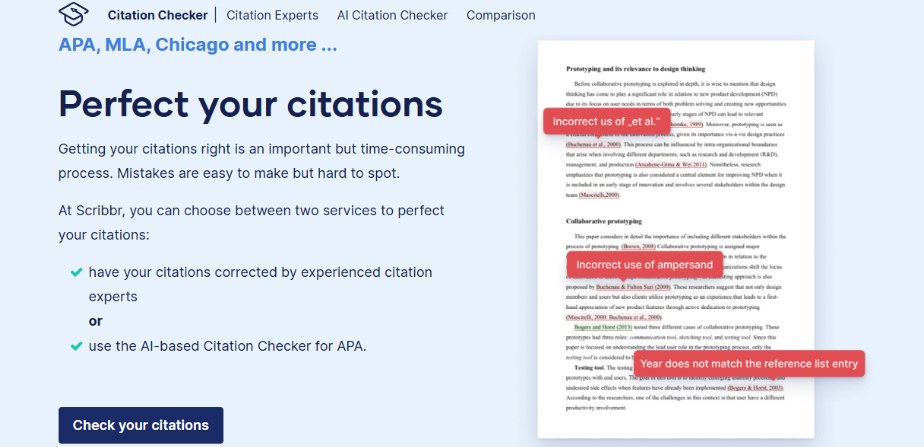
No matter which tool you use, always compare your citations with official style guides. Trusted resources like Purdue OWL provide clear examples and guidelines for APA and MLA formats.
By cross-checking your citations, you can ensure they meet academic standards and avoid penalties for incorrect formatting.
This step is especially important for complex sources such as journal articles, edited books, or multimedia content.
Editing Author Names and Source Details
Author names must follow specific formatting rules. In most citation styles, the last name comes first, followed by the first name.
Citation generators sometimes reverse or incorrectly format names, especially for multiple authors. Always verify the order and punctuation.
You should also check source details such as publication dates, titles, and container information. Ensuring these elements are accurate improves the credibility of your work.
Using Built-In Library Citation Tools
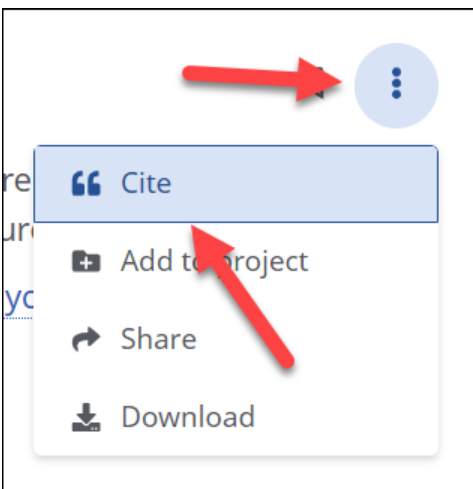
Many university libraries and academic databases offer built-in citation generators. These tools are often more accurate because they pull information directly from verified sources.
Whenever possible, use these built-in tools instead of generic online generators. They reduce the risk of missing or incorrect data.
However, even these tools should be reviewed before final submission.
Best Practices for Students
Using citation generators effectively requires a balance between automation and manual review.
Always treat generated citations as drafts. Take time to review and edit them before adding them to your bibliography.
Consistency is also important. Stick to one citation style throughout your assignment and ensure all references follow the same format.
Developing a basic understanding of citation rules will help you identify errors more easily and use these tools more effectively.
Frequently Asked Questions
How to use citation generators?
Enter accurate source details, select the correct citation style, generate the citation, and then review and edit it for errors before using it in your work.
What is one common mistake that citation generators make?
One common mistake is incorrect capitalization, especially when switching between APA and MLA styles.
What are the 4 C’s of citation?
The 4 C’s are clarity, consistency, completeness, and correctness. These principles ensure your citations are accurate and easy to understand.
Are citation generators always correct?
No, they are not always accurate. They depend on the information provided and may contain formatting or data errors that need manual correction.
Can I rely entirely on citation generators?
No, you should always verify and edit the output. Citation generators are tools, not final solutions.
Why is it important to double-check citations?
Incorrect citations can lead to academic penalties and reduce the credibility of your work.
Mastering Citations for Academic Excellence
Learning how to use citation generators correctly is an essential skill for every student. While these tools save time and simplify formatting, they require careful review and understanding to ensure accuracy.
By combining reliable tools with manual verification, you can create professional, error-free citations that meet academic standards. If you want to explore the tools themselves in more detail, reviewing Best Citation Generators Compared (APA vs MLA) can help you choose the right platform for your needs.
With the right approach, citation generators become powerful allies in your academic journey, helping you focus more on your ideas and less on formatting details.